🎉 Zen Sticky Notes Installed
1. Pin the extension for quick access
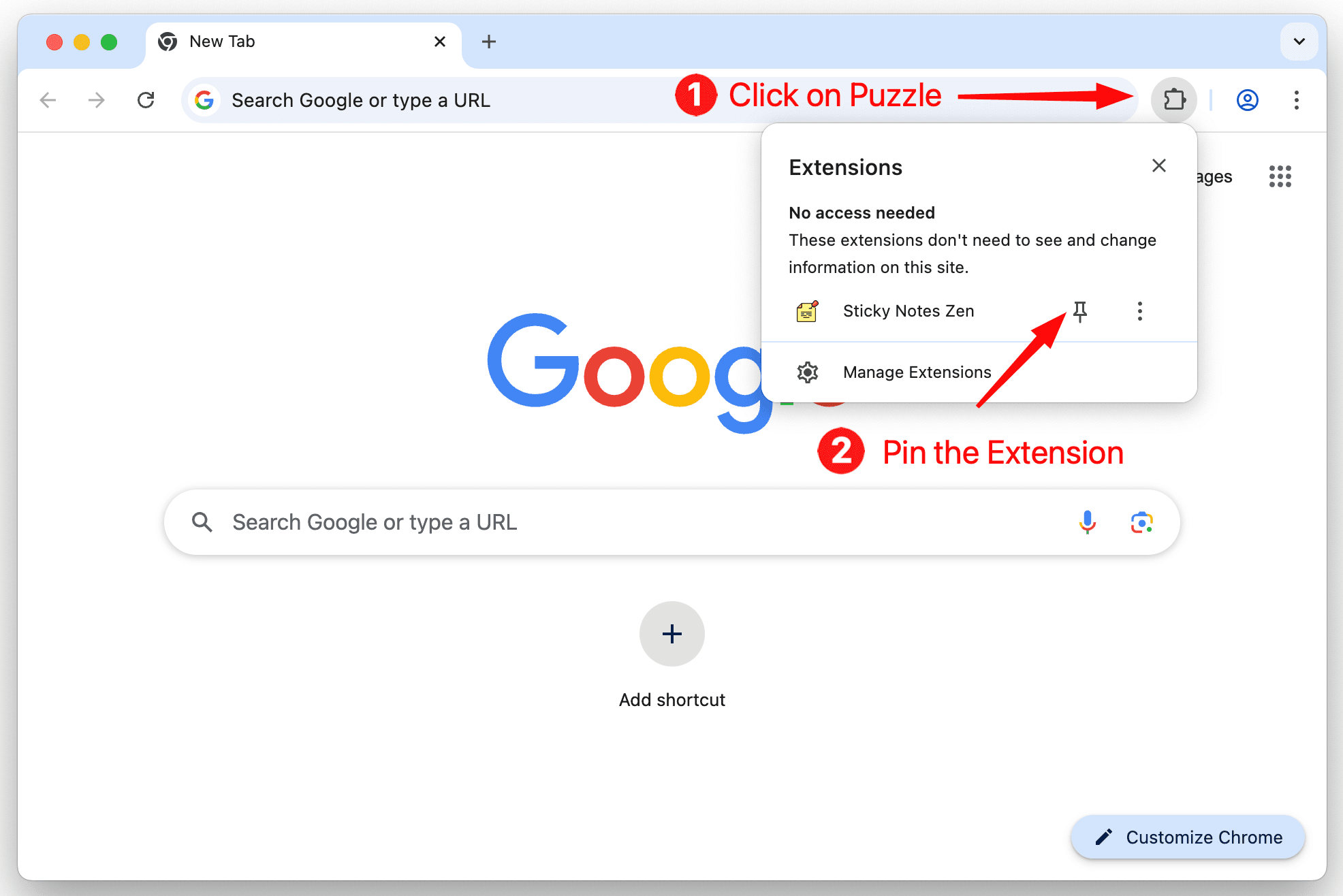
Click the puzzle icon (1) in the top right of your browser. Then, click the little pin (2) next to the extension:
2. Open the extension
Open the extension (3) on any page to start using Zen Sticky Notes:
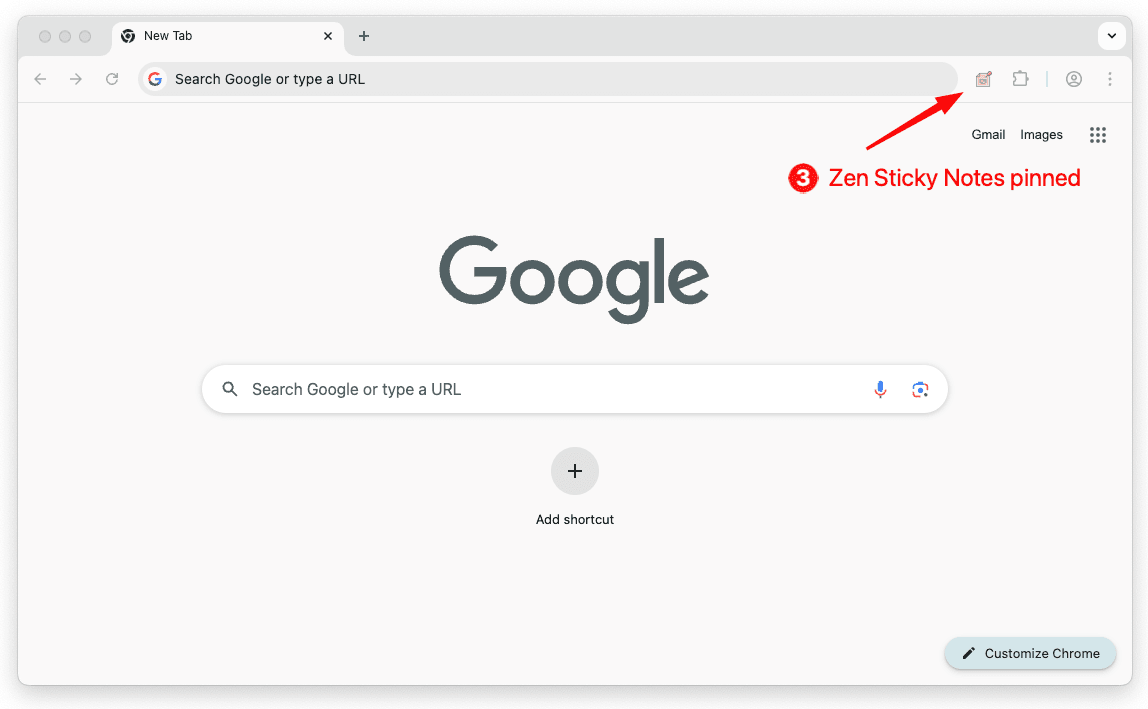
Once pinned, the Zen Sticky Notes icon will appear in your toolbar. Click it on any webpage to create and manage your persistent notes.